Subscriptions & Billing
Use the subscription page to keep each shop active, choose Standard or Pro, choose the billing cycle, and pay for one or several businesses in a single checkout.
Where to Go
Open your Profile page and use the Manage Subscription button in the subscription card. If a shop is already locked, MyShop also redirects you to the same subscription page when you try to open restricted areas.
-
1
Go to Profile from inside the app.
-
2
In the subscription card, click Manage Subscription.
-
3
Review the shops in your renewal cart, then choose the plan and billing cycle you want to pay for each one.
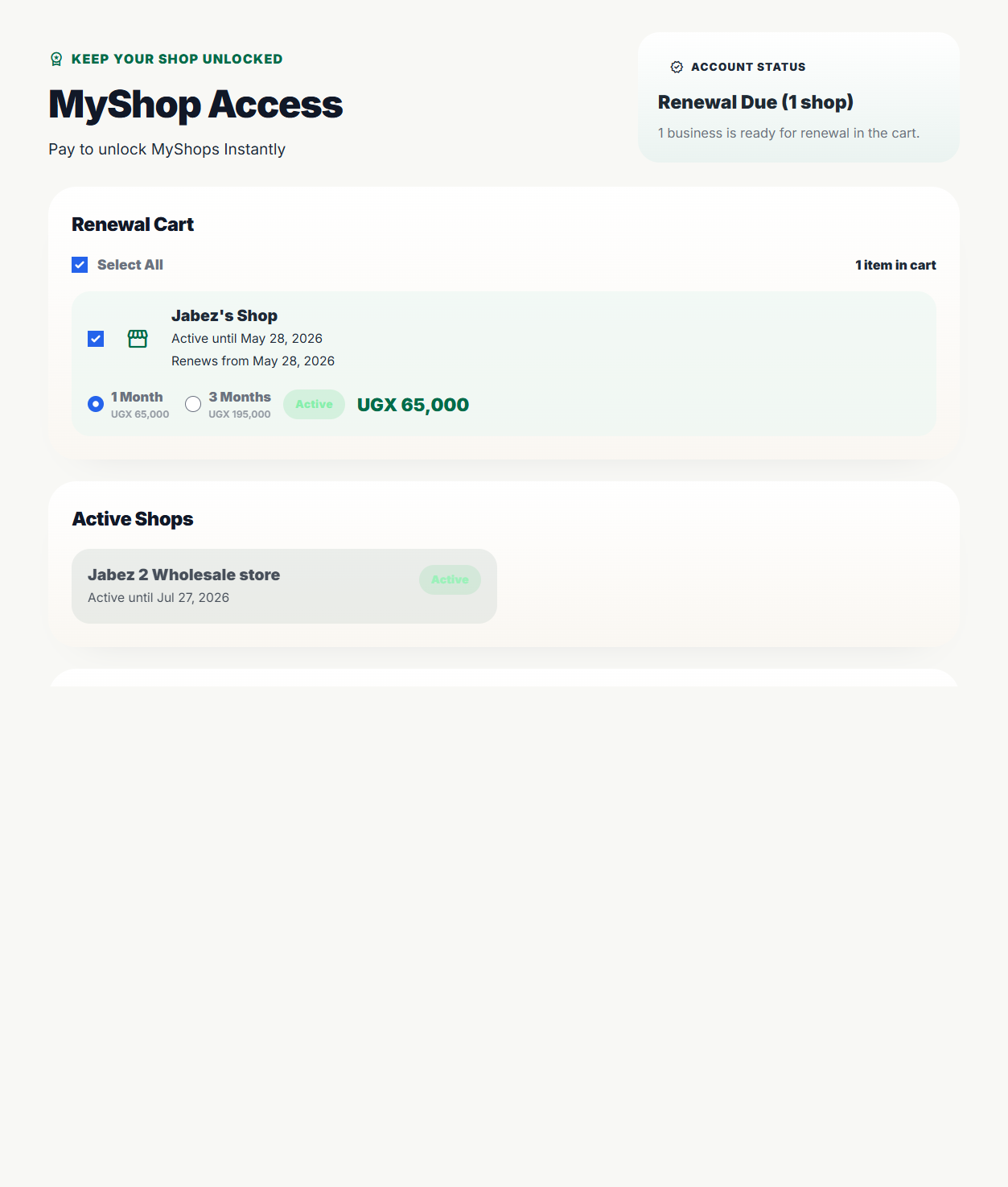
Renewal Cart
Every shop that is due for renewal appears in the Renewal Cart. Shops that are still active but not yet due stay in the Active Shops section so you can see the full account context without accidentally paying for the wrong business.
Use the checkbox on each row to decide which due shops should be included in the current payment.
The line that says Active until ... and Renews from ... means MyShop keeps your current paid access intact and adds the new billing period after the existing end date.
Choose a Plan
Each renewal cart row has a Plan selector. Choose the tier that matches the depth of tools that shop needs for the next paid period.
Standard
UGX 40,000/moFor lean daily operations: sales, products, inventory, expenses, taxes, and core reports.
3 months: UGX 120,000 · Staff limit: 2 users
Pro
UGX 65,000/moFor full business management: orders, customers, purchases, suppliers, VAT Center, balance sheet, assets, capital, and advanced reports.
3 months: UGX 195,000 · Staff limit: 5 users
Trial shops behave like Pro while the trial is active. When the owner renews, the selected paid plan controls the shop's available modules and staff limit.
Choose a Billing Cycle
Each due shop lets you choose between 1 Month and 3 Months. The price on the row and in the order summary updates as you switch between plan and duration options.
- sync_alt Select the cycle that matches how long you want that specific shop covered.
- calculate Watch the total in the order summary before you continue to payment. Standard is UGX 40,000 per month or UGX 120,000 for 3 months; Pro is UGX 65,000 per month or UGX 195,000 for 3 months.
- schedule Renewing early does not remove already-paid days. The next paid period starts after the current paid end date or after the active trial ends.
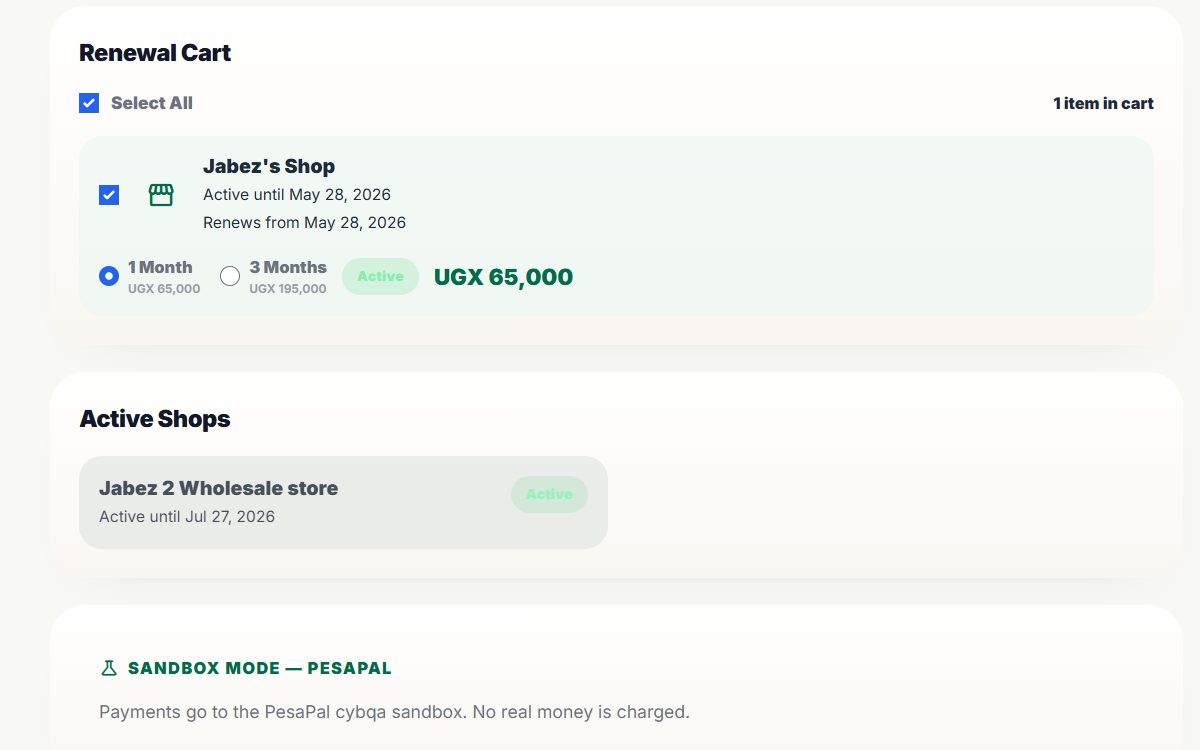
Paying for One Shop
If you only want to renew one business, leave that shop selected and clear any other due-shop checkboxes. The order summary updates immediately so you can confirm the total before you proceed.
-
1
Keep the checkbox enabled for the shop you want to pay for.
-
2
Choose Standard or Pro, then choose 1 Month or 3 Months for that shop.
-
3
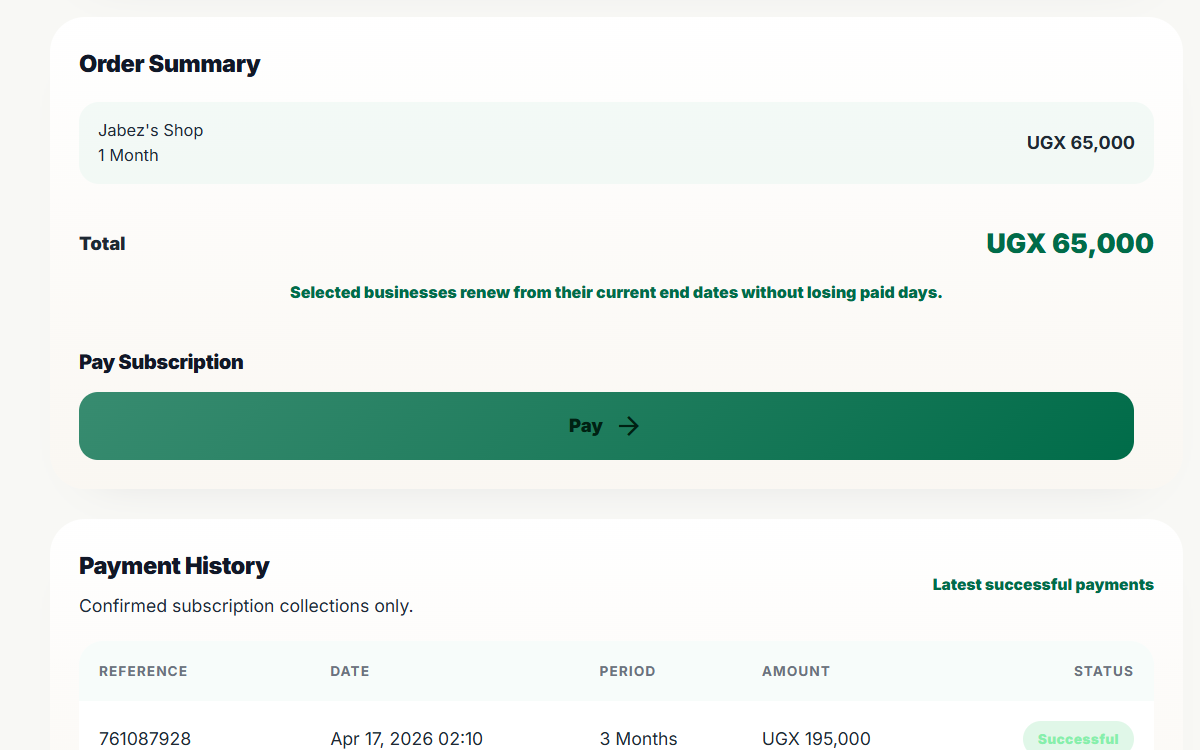
Review the total in the order summary and click Pay. Only the shop owner can initiate the payment.
After you click Pay, MyShop redirects you to a secure payment page where you can complete the renewal using mobile money or a bank card.
Paying for Multiple Shops
Owner accounts can manage several businesses. When more than one shop is due, each one appears as its own cart row so you can decide exactly which shops to renew and what billing cycle to use for each one.
Per-shop control
Select the due shops you want to include and set each one to Standard or Pro, monthly or quarterly, before checkout.
Single checkout
MyShop combines the selected businesses into one order summary and one payment flow instead of forcing separate payments per shop.
Active shops remain visible below the cart as read-only cards. That helps you confirm which businesses are already covered before you pay for the due ones.
After Payment
After a successful payment, MyShop applies the renewal to every selected shop in that checkout. The affected businesses stay unlocked through the new end date, and the payment appears in the history table on the subscription page.
- lock_open Locked shops regain access once the renewal is confirmed.
- history The payment history shows the latest successful subscription payments for audit and follow-up.
- calendar_month Renewals on active shops extend from the current paid end date, so you do not lose existing paid time by renewing before expiry.